
Machines that finally talk to each other, and to your software
Machine integration is making separate pieces of equipment — often from different decades and different vendors — work as one coordinated system, and making their data available to the software that runs your business. It removes the operator-as-middleware problem: people carrying numbers between machines on clipboards and retyping them into ERP.
Willowark's approach is protocol-first: inventory what each machine can already communicate — OPC UA, Ethernet/IP, Profinet, Modbus TCP or RTU, a serial port, a file drop from the controller — and build the bridges from there. We change as little as possible on validated equipment; integration should add a layer, not destabilize what works.
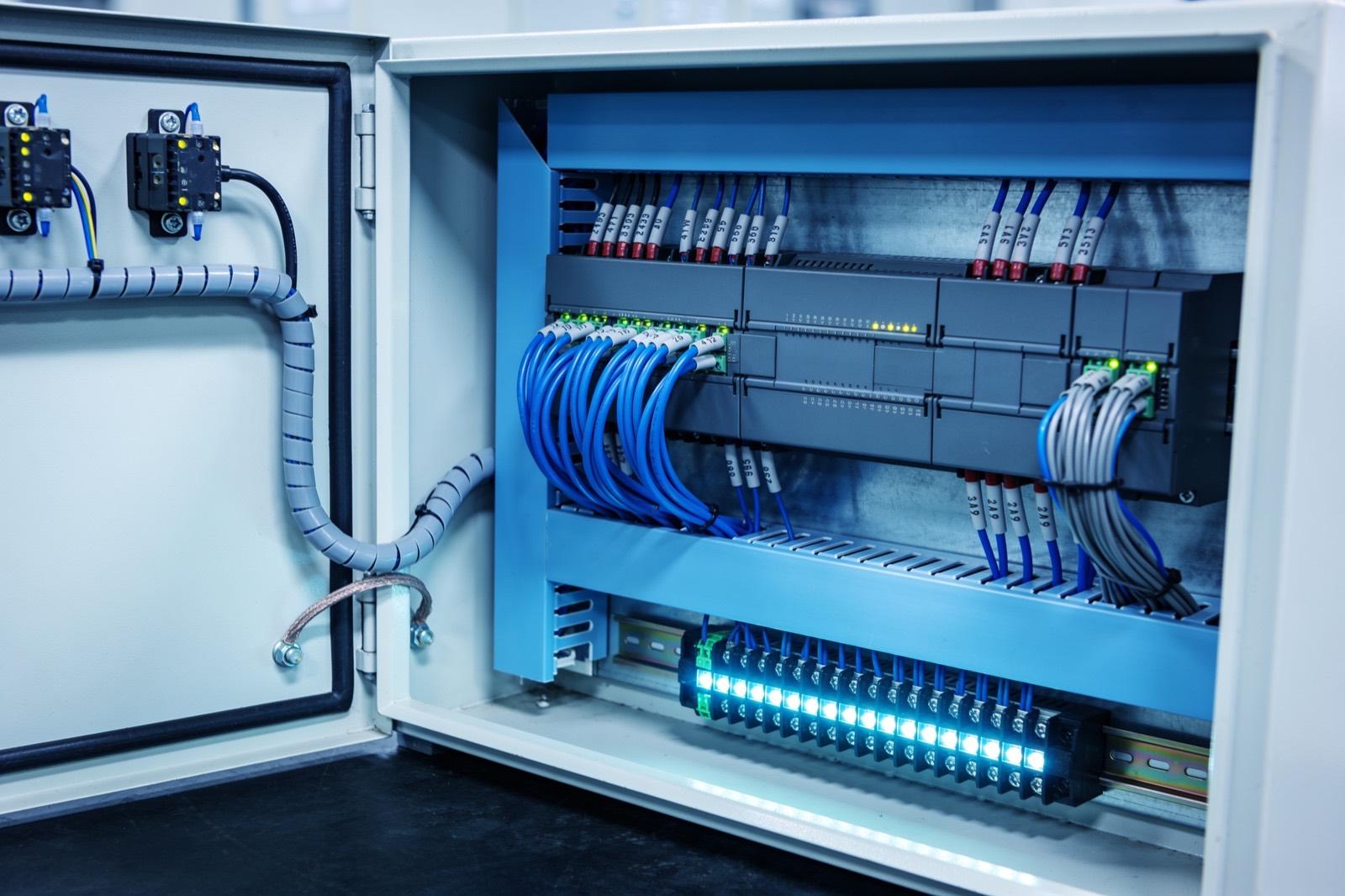 Industrial Automation
How the work gets done
The same way every time: scope, build, hand over.
In practice this means PLC-to-PLC handshakes for line coordination, gateway hardware where old serial equipment meets modern networks, OPC UA servers that normalize tag names into a coherent namespace, and middleware that moves data between machines and business systems — MES, ERP, quality databases — with buffering so a server reboot never stops a line. CNC integration often uses MTConnect or FOCAS; robots typically expose Ethernet/IP or their own SDKs. Every interface gets defined failure behavior: what each machine does when its neighbor goes quiet.
Done right, integration is invisible during production and obvious in the numbers: changeover parameters flow to the line automatically, completions post to ERP without retyping, and a downstream fault holds upstream equipment before a jam becomes an hour of cleanup. We validate with structured tests — kill links, reboot servers, power-cycle machines — before calling it commissioned.
Scoping begins with a communication inventory, machine by machine: controller make and firmware, available ports, protocols actually enabled, tag or register documentation if any survives, and whether the OEM allows outside connections without voiding support. We plug in during the site walk and confirm what a machine really answers rather than trusting its manual, because a controller that supports OPC UA on paper may have it unlicensed or disabled. The output is an integration architecture with every link named — its direction, its data, its update rate, and its failure behavior — reviewed with your controls and IT staff before any hardware is ordered.
Interlocks that stop a machine because its neighbor faulted are coordination logic, not safety functions, and we keep the distinction sharp: anything protecting people stays in safety-rated hardware, and integration never bypasses a guard circuit or e-stop chain. Cutover is staged so validated equipment keeps running — bridges go in read-only first, handshakes are exercised in a test mode, and control links go live during a planned stop with a rollback path agreed in advance. Handover includes the network diagram, tag maps, gateway configurations backed up to your repository, and a runbook that tells maintenance what to check when a link drops.
Scope it in writing
What we agree before work starts
- Equipment communication inventory and integration architecture
- Protocol bridges and gateway configuration (OPC UA, Modbus, Ethernet/IP, serial)
Build with checkpoints
Working results, not slide decks
- PLC handshake logic for line coordination
- Middleware connecting machines to MES and ERP with buffering
Hand over something you own
Documentation, source, and training
- Failure-mode test protocol and results
- Network diagram, tag maps, and gateway configuration backups
Sound familiar?
Where machine integration earns its keep.
A 1998 grinder and a 2023 robot cell that need to run as one line
Operators retyping machine counts into ERP at the end of every shift
A new vision system with no way to tell the PLC to reject a part
Three brands of equipment on one line, each speaking a different protocol
Ask about Machine Integration
Describe the problem. Get a straight answer.
One line is enough. An engineer replies within a business day.
Related work
Radar centering system for steel mills
Components:
- Radar sensors (strip position): Non-contact radar reading strip edge position in a hot, dusty, vibrating environment where optical sensors fail.
- Edge controller (signal processing): Turns raw radar returns into a clean lateral offset in real time.
- Mill PLC (centering actuators): The mill's existing controller: receives the offset and drives the centering actuators.
- Operator HMI (live position): Live strip position for the operator.
Connections:
- Radar sensors to Edge controller (raw returns)
- Edge controller to Mill PLC (offset)
- Edge controller to Operator HMI
A steel-mill systems provider · Steel manufacturing
Radar-based centering system for steel mills
End-to-end engineering of a radar sensing system that measures and centers material on steel mill lines — from equipment assessment through hardware selection, electrical engineering, software, installation, and commissioning.
Read the case study →Common questions
Asked before every machine integration project.
Our oldest machine has no network port at all. Can it be integrated?
Almost certainly. Options range from serial-to-Ethernet converters and retrofit sensors — encoders, proximity switches, CT clamps on the motor feed — to reading stack lights or counting parts optically. The data may be shallower than a modern controller offers, but presence, cycle, and count are nearly always recoverable.
Will integration void warranties or certifications on our equipment?
We design so it does not. Reading data over published protocols is non-invasive, and where we add control interlocks, we do it through documented I/O and coordinate with the OEM where support agreements matter. On validated processes, we keep changes outside the validated boundary or document them for requalification.
What happens to production if the integration layer goes down?
The machines keep running. We architect so the integration layer observes and coordinates but is never a single point of failure for basic operation — data buffers locally and syncs on recovery, and any interlocks fail to a safe, defined state your team chooses in design review.
Can you work with our equipment OEMs and existing integrators?
Yes, and it usually goes better when we do. We coordinate with OEMs on supported interfaces and with any integrator who owns a cell's program so changes stay within what they will support. Where an OEM will not open a controller, we integrate at the boundary — discrete I/O, published protocols, or added sensors — and document the line clearly so responsibility is never ambiguous when something needs service later.
Does integration require a new plant network?
Not usually a whole new one, but often some cleanup. Machine traffic typically belongs on its own segment with a defined path to business systems, and we work with your IT team on VLANs, addressing, and firewall rules rather than around them. Where the existing network is unmanaged switches daisy-chained across the floor, we say so and scope the fix, because integration on a flaky network produces flaky integration.

Where this sits
Machine Integration, inside a industrial automation system.
The lit component is the part of the system this service delivers; the rest is what it has to work with.
Hover or focus a component to see what it is and what it talks to. Arrow keys move between them.
Sensors and machines report into the PLC; the PLC drives the HMI and publishes tags to a historian; the historian feeds dashboards and, where it exists, the MES.
Components:
- Machine (press, cell, line): The equipment itself. Newer machines expose tags; older ones need a sensor or a serial tap.
- Sensors (counts, temps, current): Retrofit sensors where the machine offers nothing: proximity counts, current transformers, temperature.
- PLC (control): The controller: logic, safety, and the tag table everything else reads.
- HMI (operator): Operator screen at the machine.
- Historian (tag store): Time-series store of PLC tags: uptime, counts, faults, cycle times.
- Dashboards (OEE, downtime): Plant TV and office views: OEE, downtime reasons, shift comparison.
- MES / ERP (orders): Work orders down, production counts up.
Connections:
- Sensors to PLC over 4-20mA
- Machine to PLC over EtherNet/IP
- PLC to HMI over EtherNet/IP
- PLC to Historian over OPC-UA
- Historian to Dashboards over REST
- Historian to MES / ERP over REST, both directions
Strategy. Software. Systems.
Have a system that should exist?
Tell us what your operation is doing manually, what isn't connected, or what you're trying to build. We'll tell you plainly whether and how we can help.